TrendForge
From an idea to a carousel ready to post.
Project overview
What we built
An Android app that turns an idea into an Instagram or LinkedIn carousel, with AI help on the writing, a brand kit, and export as images or a PDF.
- Industry
- AI carousel maker app
- Services
- UI/UX design, Android app development, AI integration
- Target users
- Creators, freelancers, small businesses, founders and educators who post on Instagram and LinkedIn
- Deliverables
- Android app on Google Play, AI writing help, Carousel editor, Brand kit, Image and PDF export
The brief
Project requirements
Carousels are a popular format on Instagram and LinkedIn, but writing and designing every slide takes time. TrendForge had to take a one-line idea, help write the slides with AI, keep them on-brand and export them in the right format for each platform, with no paid subscription.
- AI help with slide writing
- Instagram and LinkedIn formats
- Trending topic ideas
- Brand kit with colours and type
- Export as images or a multi-page PDF
- Turn a short idea into a full carousel
- Let AI help with headlines and wording, with the user in charge of the final text
- Keep every carousel on-brand
- Export in the right format for Instagram and LinkedIn
- Keep creation, AI help and export free
What it does
Feature highlights
Idea to carousel
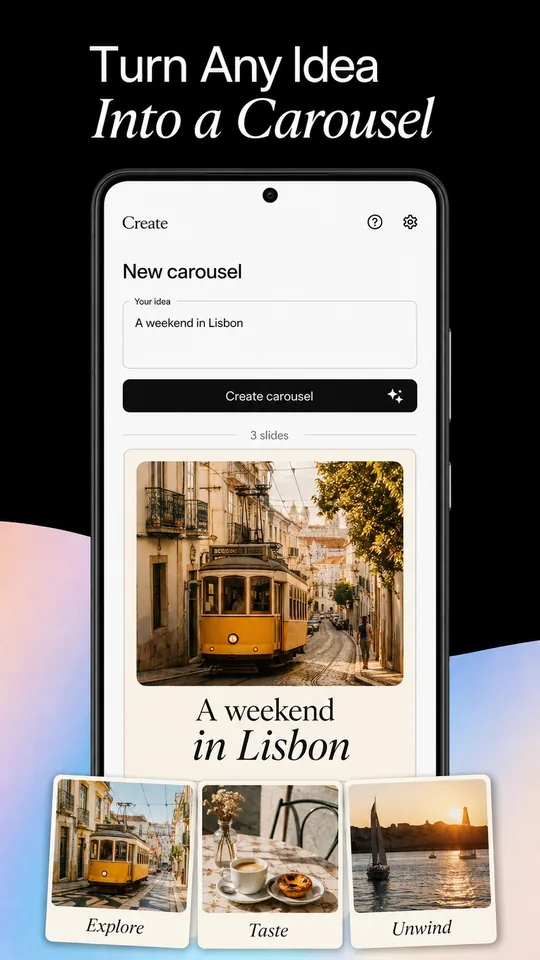
Type an idea, such as a weekend in Lisbon, and the app builds a first set of slides to work from.
AI writing help
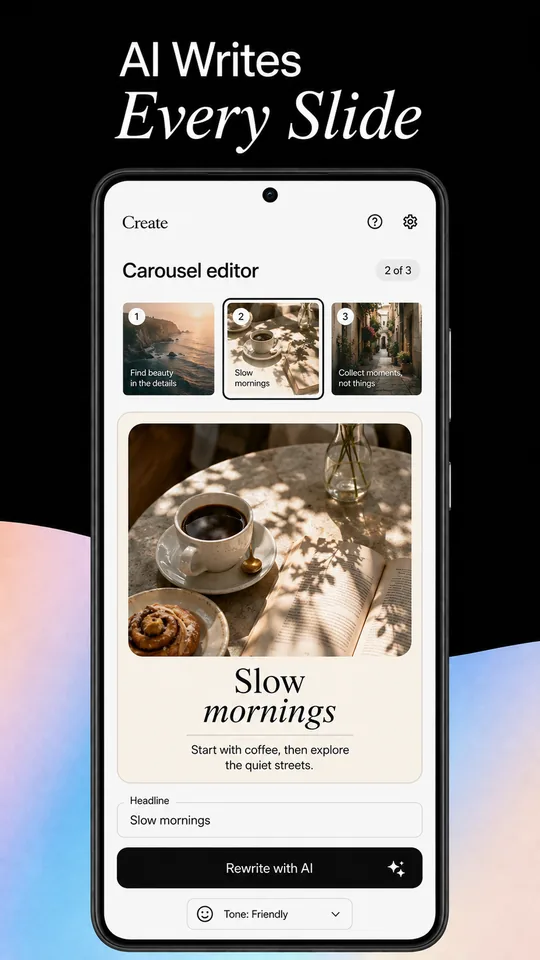
Rewrite with AI on every slide, with a tone setting, for headlines, explanations and the flow of the carousel.
Trending topics
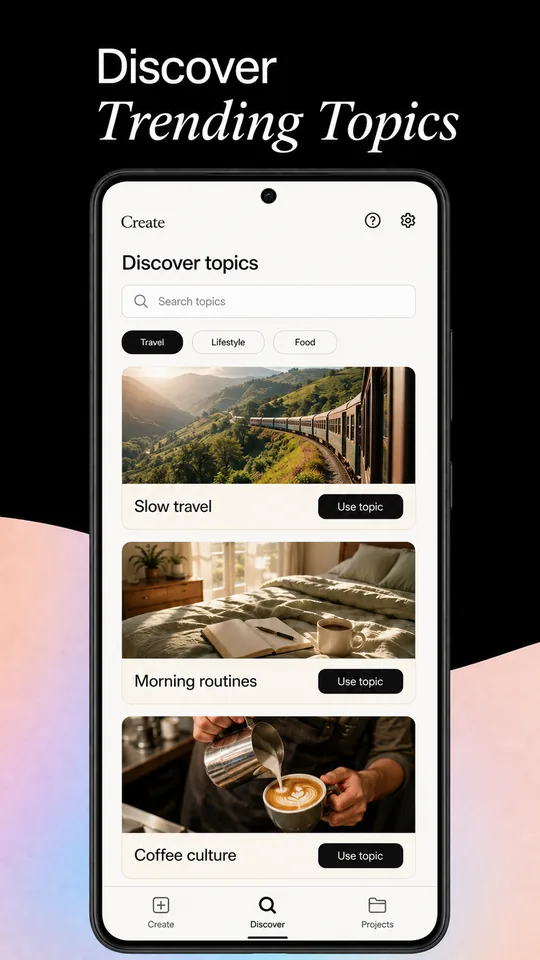
A Discover tab of topic ideas by category, such as travel, lifestyle and food, each a tap away from a new carousel.
Brand kit
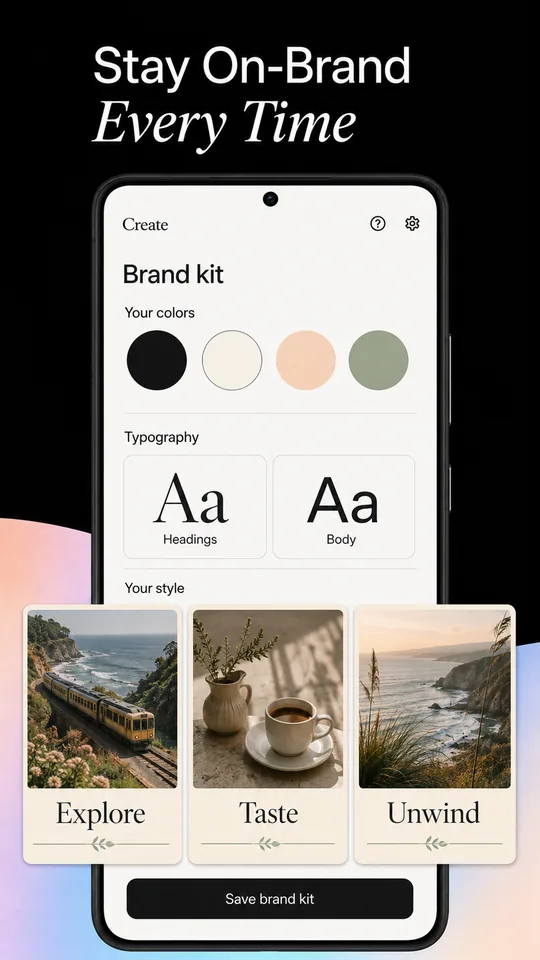
Brand colours, heading and body type, a visual style, and the user's name and handle, applied to every carousel.
Slide editor
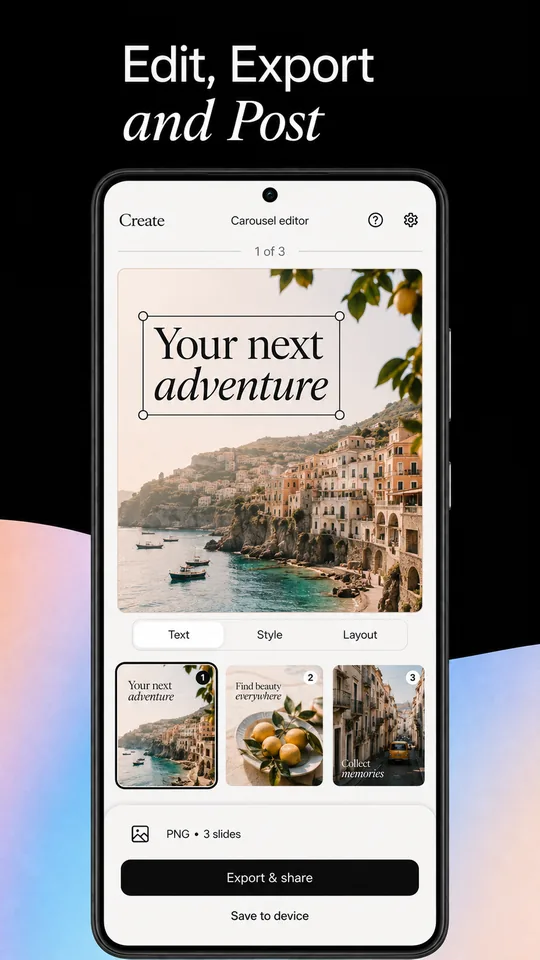
Text, style and layout controls for each slide, with the whole carousel in view.
Export for each platform
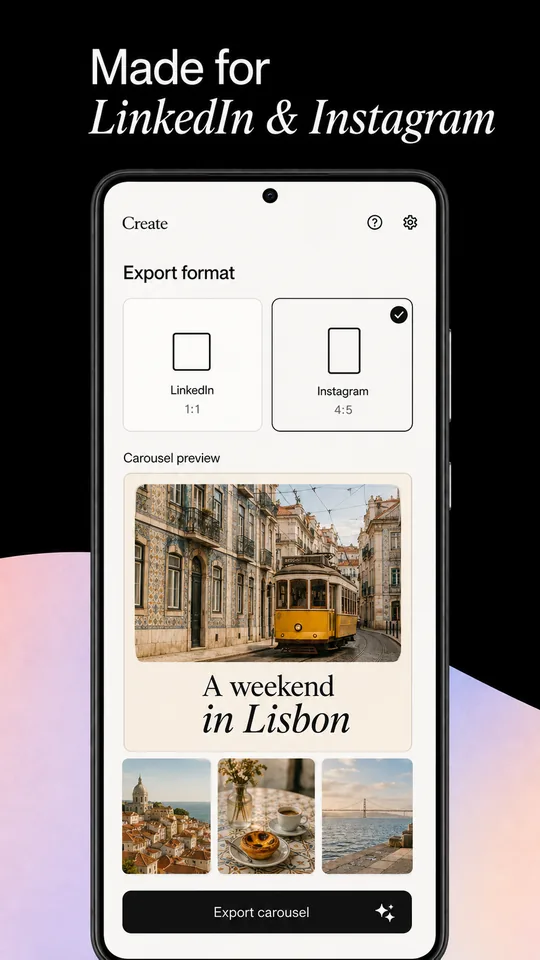
Square and portrait images for Instagram and a multi-page PDF for a LinkedIn document post, saved or shared straight away.
The problem
The challenges
- 01
A blank page
Starting is the hard part, so the app had to go from a one-line idea to a first draft.
- 02
AI that sounds like you
AI text is a starting point, so every slide had to stay easy to edit and rewrite in the user's own tone.
- 03
Two platforms, two formats
Instagram takes images in square or portrait sizes, while LinkedIn document posts take a PDF.
- 04
A consistent look
Every post should look like it comes from the same brand.
Our answer
Our solution
- A Create flow from one idea to a first set of slides
- Rewrite with AI on every slide, with a tone setting
- A Discover tab of trending topics
- A brand kit for colours, type, name and handle
- Image export for Instagram and PDF export for LinkedIn
The product
Screenshots
Taken from the Google Play listing. Select one to open it full size.
Google Play listing
Under the hood
Technologies we used
- Android
- Platform:
- Android, published on Google Play
How it was delivered
- 1Discovery and user flows
- 2App and slide template design
- 3AI writing integration
- 4Editor and export
- 5Testing on Android phones
- 6Google Play release
The result
Conclusion
Creators and small businesses can go from an idea to a finished Instagram or LinkedIn carousel in one app: AI helps with the words, the brand kit keeps the look consistent and the export matches each platform.
Have an idea? Let's make it happen.
Tell us what you want to build on a free discovery call, or price your app first with the cost estimator.